How to Use RExharge Public Charger?
Download the RExharge App
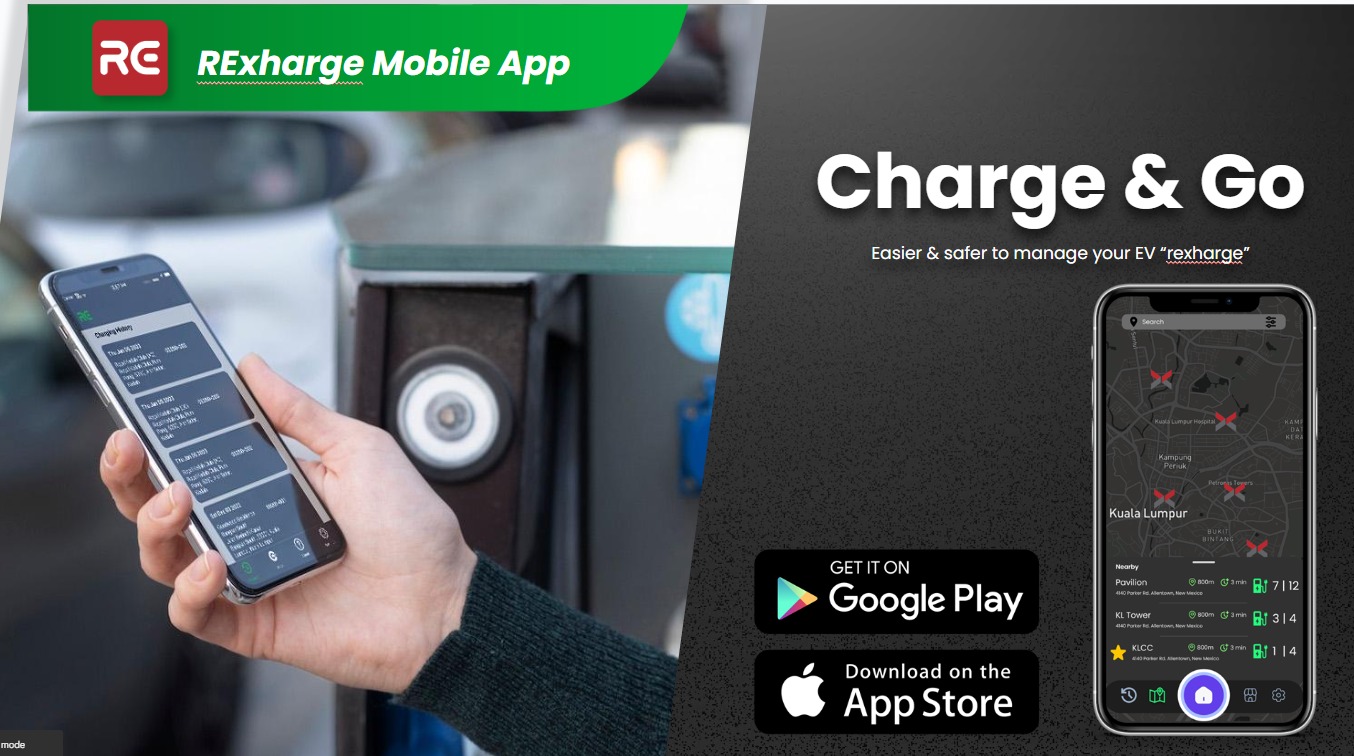
RExharge App Tutorial
1. Add your card
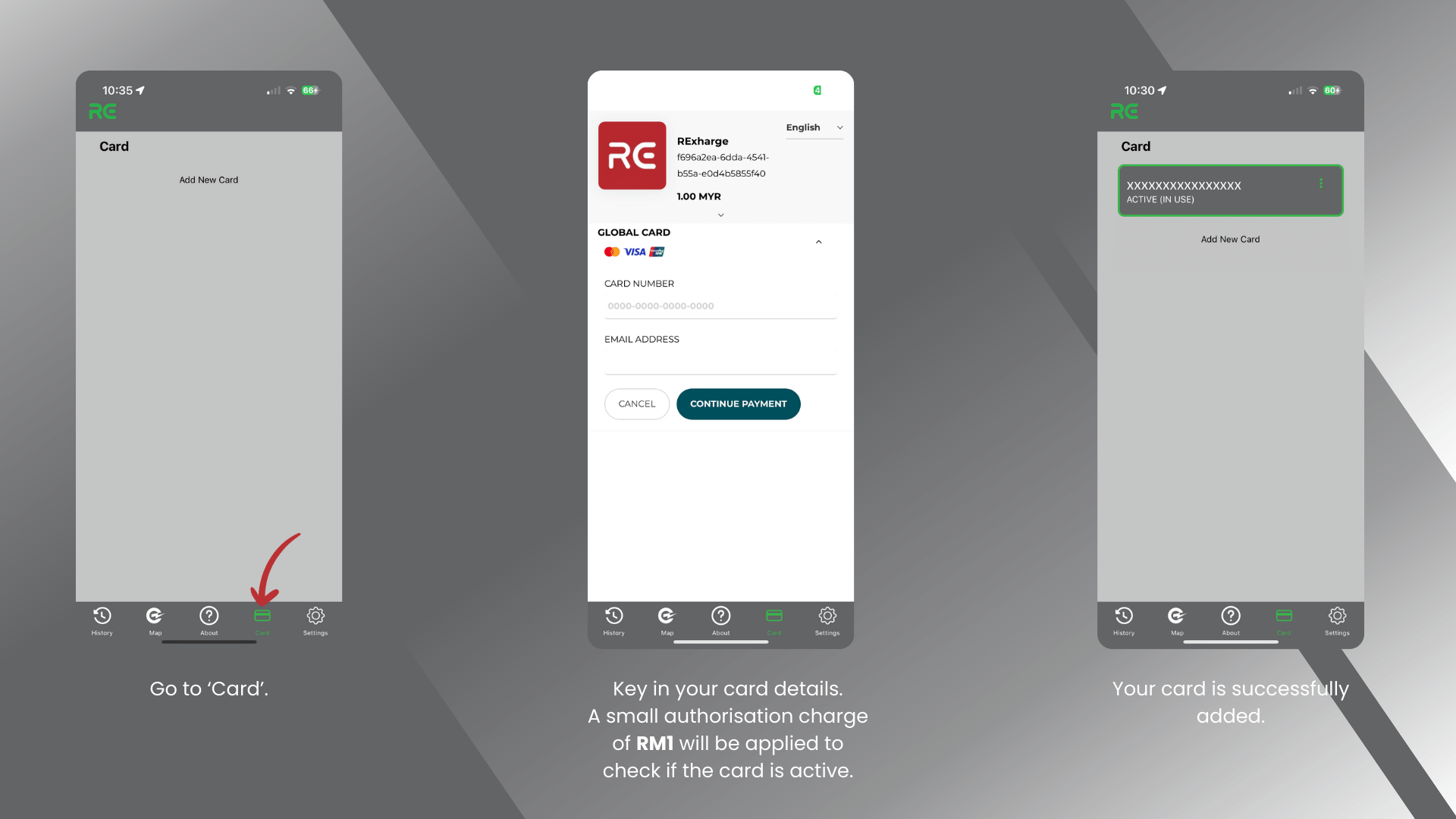
On the RExharge app home page, select ‘Card’.
Add a credit or debit card by keying in your card details. Please note that a small authorisation charge of RM1 will be applied to verify if the card is active.
Your card will be successfully added if it appears under your saved cards.
2. Start a charging session
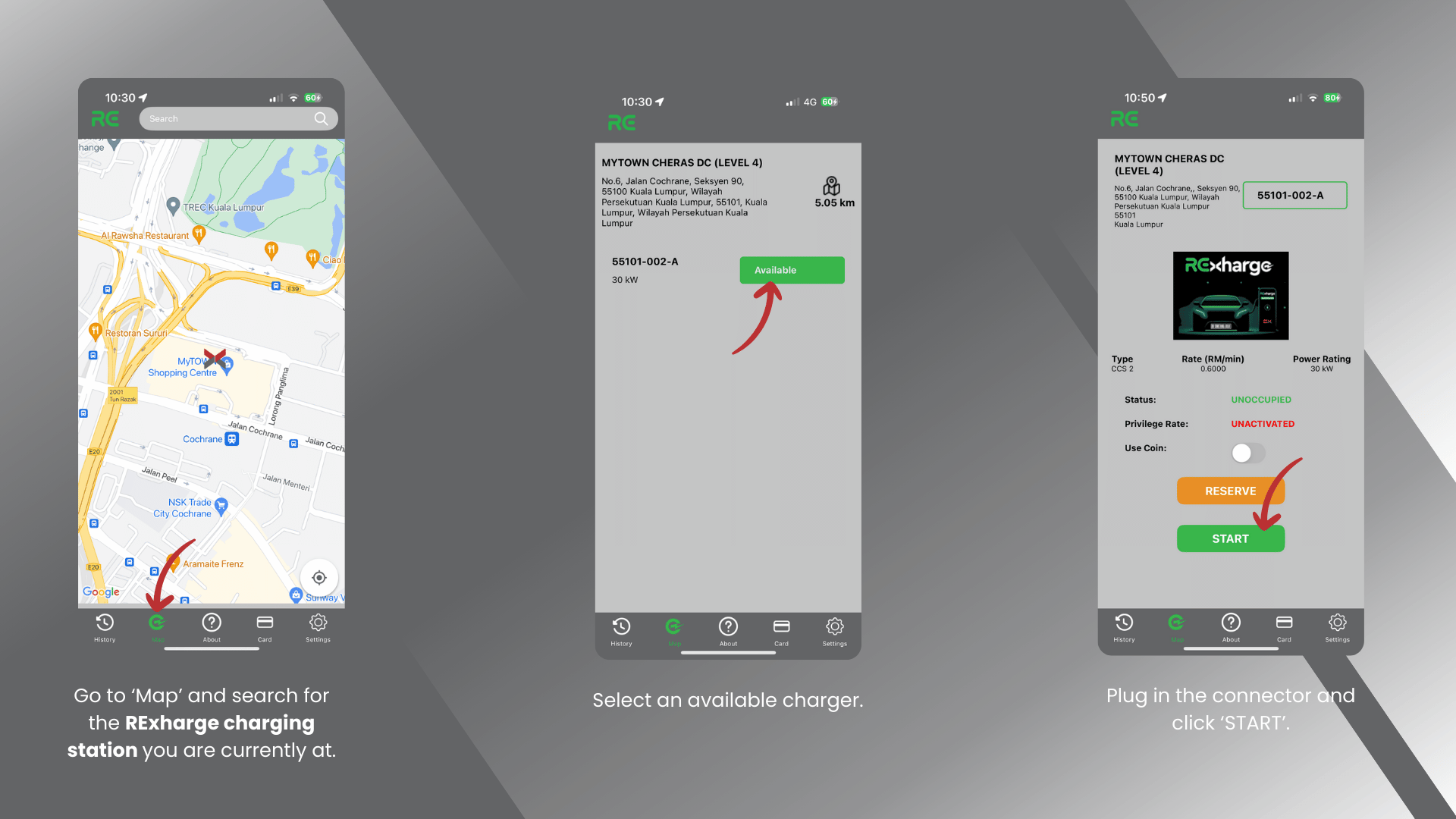
Go to ‘Map’ and search for the RExharge public charging station you are currently at.
Select an available charger.
Plug in the connector and click ‘START’.
3. Pre-authorisation payment before charging
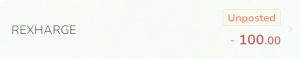
RM100 will be put on hold by your card-issuing bank. After charging is done, the unused amount will be refunded to your bank account.
Did you know?
Petrol stations also put a temporary hold on a card to verify that the card is active and has enough funds to pay for the petrol.
4. End charging session
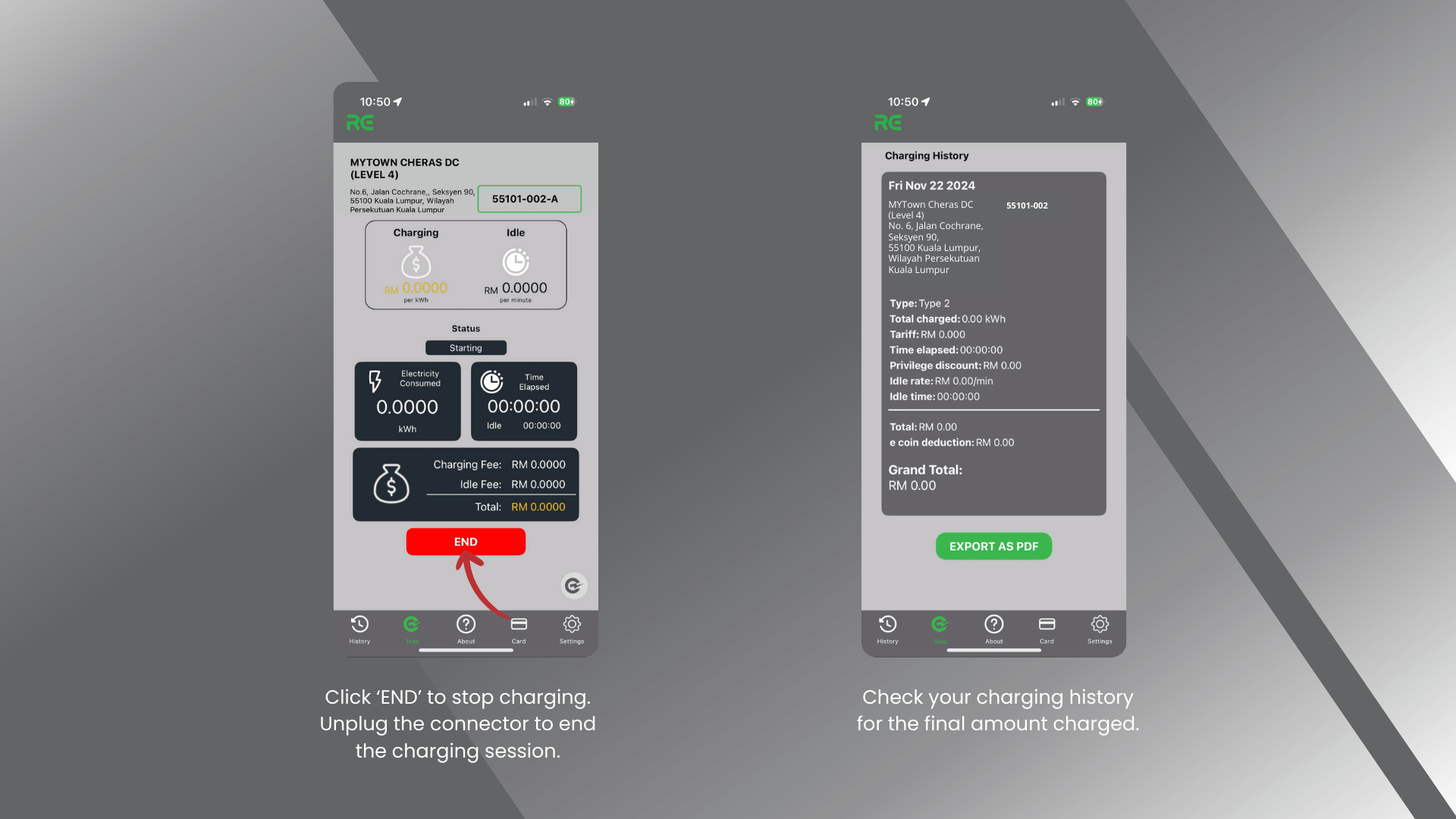
Click ‘END’ to stop charging. Unplug the connector to end the charging session.
Check your charging history for the final amount charged.